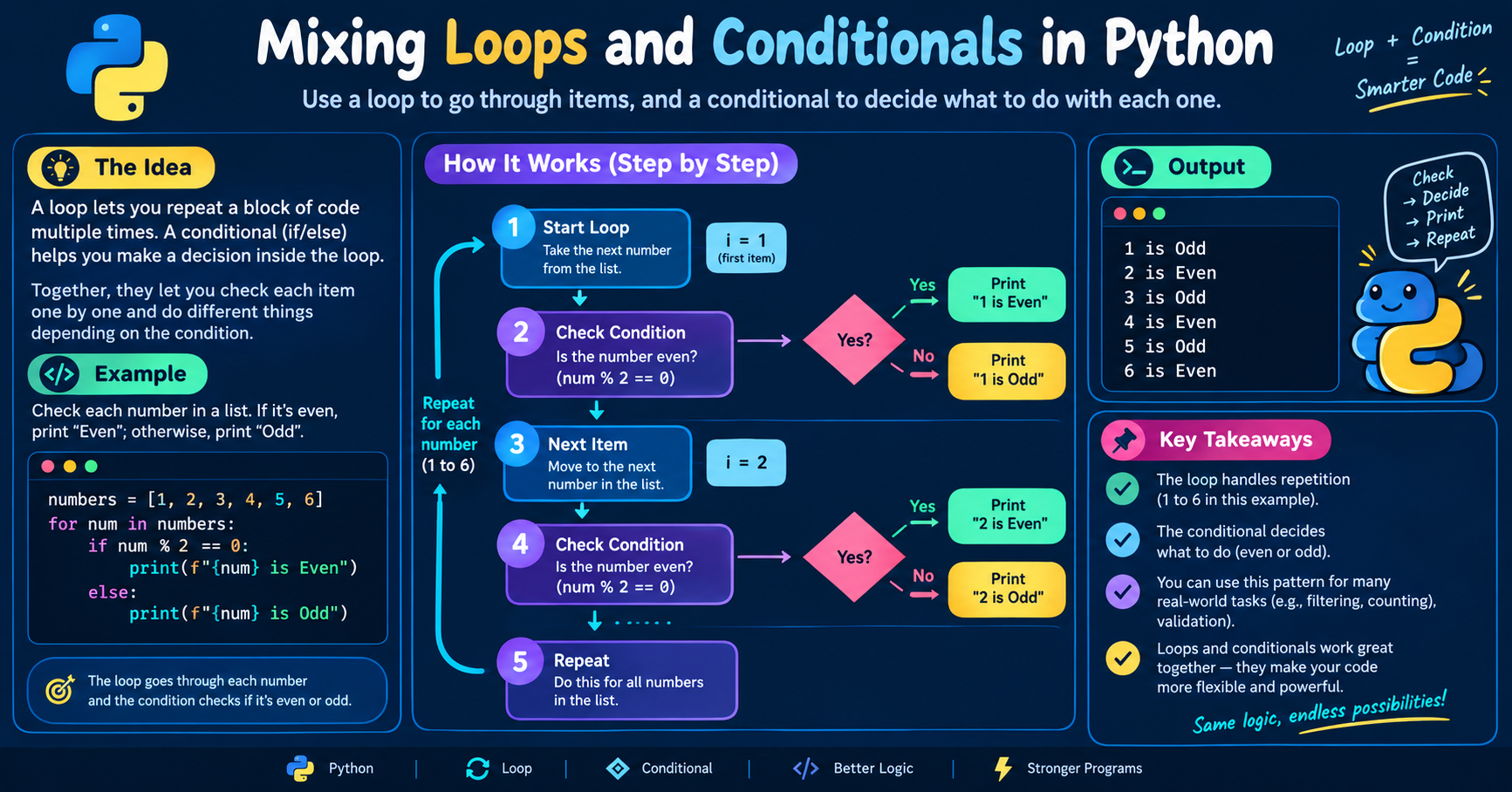

What are loops in python?
By Waqas Hussain (GlitchWH) Computer System Engineering student specializing in Python and Cyber Security
Introduction
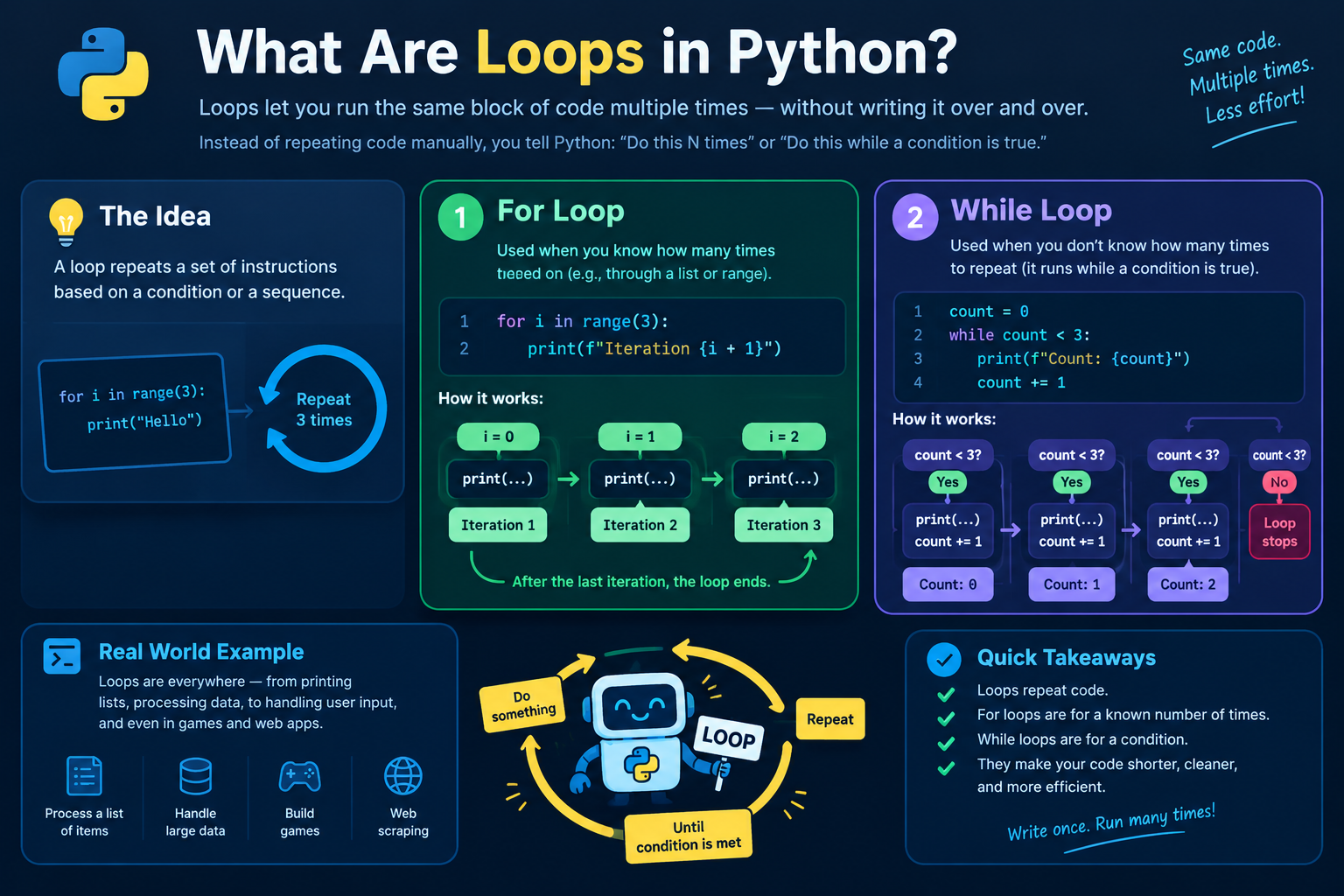
Programs often need to repeat work: print 100 lines, check every item in a list, keep asking until the user types the right password. Writing the same line 100 times is not an option. A loop tells Python to repeat a block of code automatically, either a fixed number of times or until a condition changes. Python has two loops: for and while.
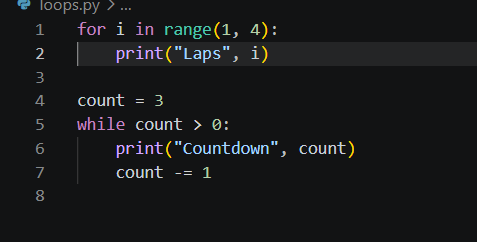
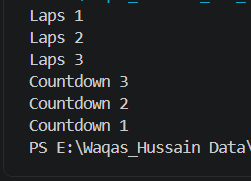
Two loops, two different ways of deciding when to stop. Here is how each works.
Step 1: Why Loops Exist
A loop runs the same indented block again and again. Without loops, repeating a task 1,000 times would need 1,000 lines of code. With a loop, it takes two. Loops also work on data whose size you don't know in advance, like the lines of a file or the items in a list.
Step 2: The for Loop
A for loop takes an iterable (anything Python can go through one item at a time, such as a list, string, tuple, dictionary, or range) and runs the block once per item.
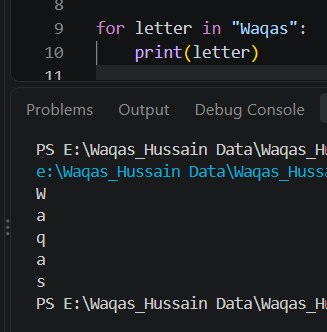
On each pass, the loop variable (letter) is assigned the next item. When the items run out, the loop ends. Use for when you know what you are looping over.
Step 3: range() Generates Numbers
range() produces a sequence of integers and has three forms:
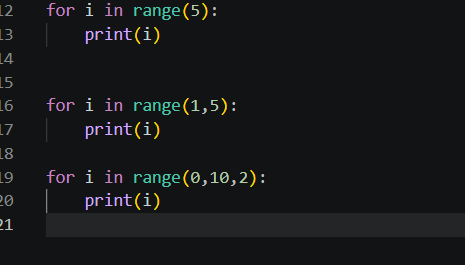
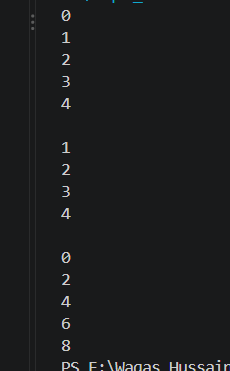
Step 4: The while Loop
A while loop checks a condition before every iteration. If the condition is True, the block runs; if it is False, the loop ends.
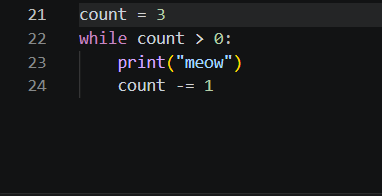
Use while when you don't know in advance how many repetitions you need, only when to stop. The danger is that if the condition never becomes False, the loop runs forever (an infinite loop). Always make sure something inside the loop moves it toward stopping.
Step 5: What Happens Inside a for Loop
Python does not simply "count through" your data. Internally it:
Calls
iter()on the iterable to get an iterator.Calls
next()on that iterator to get each item.Stops when the iterator raises
StopIteration, which Python handles silently.
This is why for works on so many different types: anything that supports this protocol can be looped over. We'll cover this fully in the next article.
Step 6: Controlling a Loop
Three tools change a loop's normal flow:
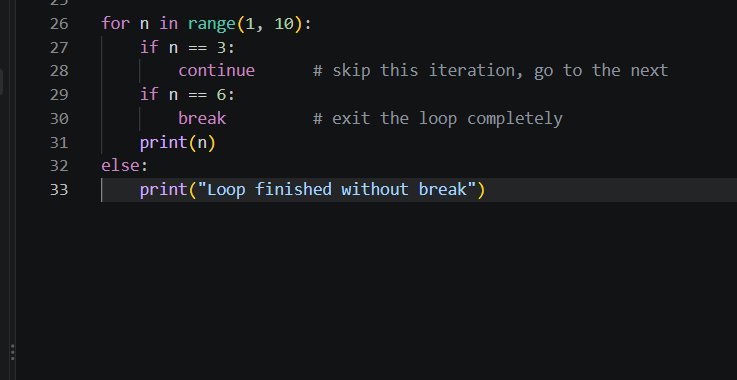
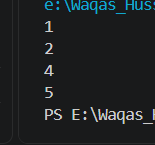
breakexits the loop immediately.continueskips the rest of the current iteration.elseon a loop runs only if the loop finished without hittingbreak. Herebreakfired, so theelseblock did not run.
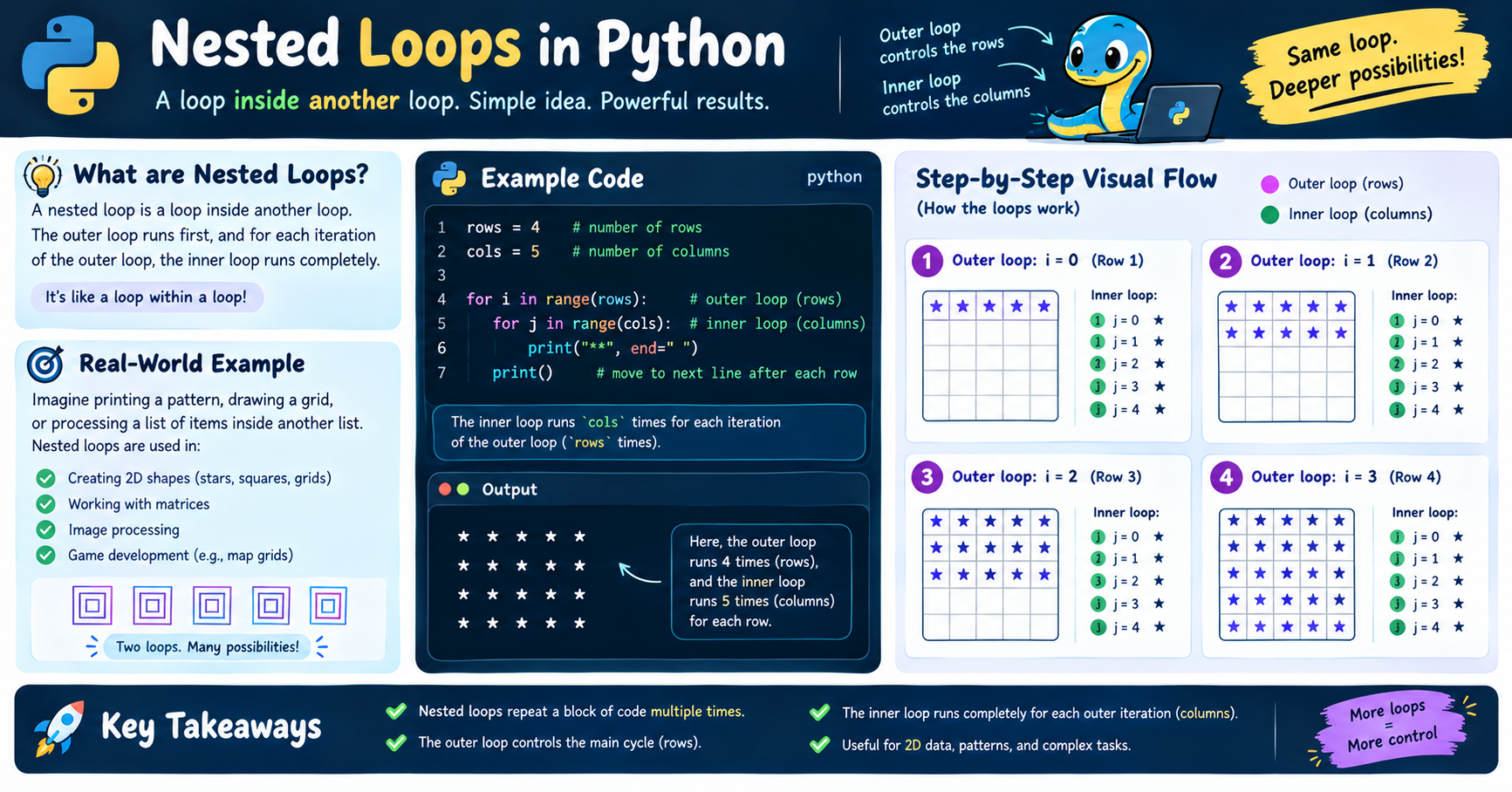
Step 7: Nested Loops
A loop can sit inside another loop. The inner loop runs completely for every single pass of the outer one:
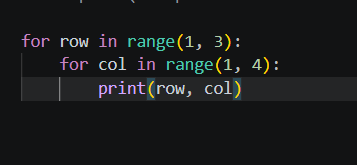
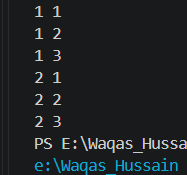
1st loop starting from 1, stop at 3
2nd loop starting from 1, stop at 4
This runs 2 × 3 = 6 times. Nested loops are powerful but multiply work quickly, so use them carefully on large data.
Why This Matters
Almost every real program depends on loops: processing files, scanning data, handling user input, running games. Choosing correctly between for (known collection or count) and while (repeat until a condition changes) makes your code shorter, safer, and easier to read.
Conclusion
A loop repeats a block of code. for goes through the items of an iterable one by one, while repeats as long as a condition stays true, and break, continue, and else give you control over the flow. Under the hood, for works by calling iter() and next() until the data runs out.