
C: Mixing Loops and Conditionals in Python
By Waqas Hussain (GlitchWH) Computer System Engineering student specializing in Python and Cyber Security
Introduction
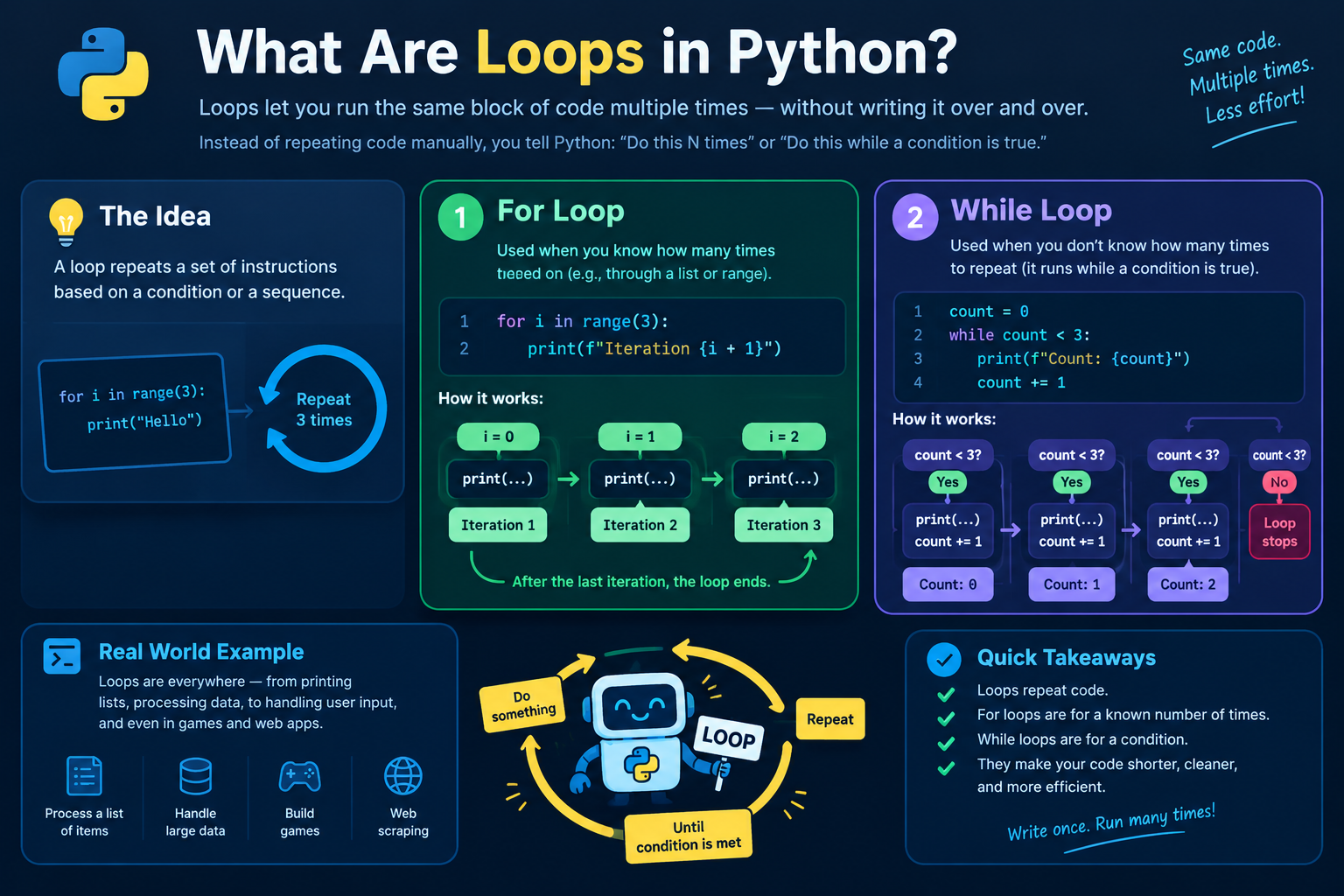
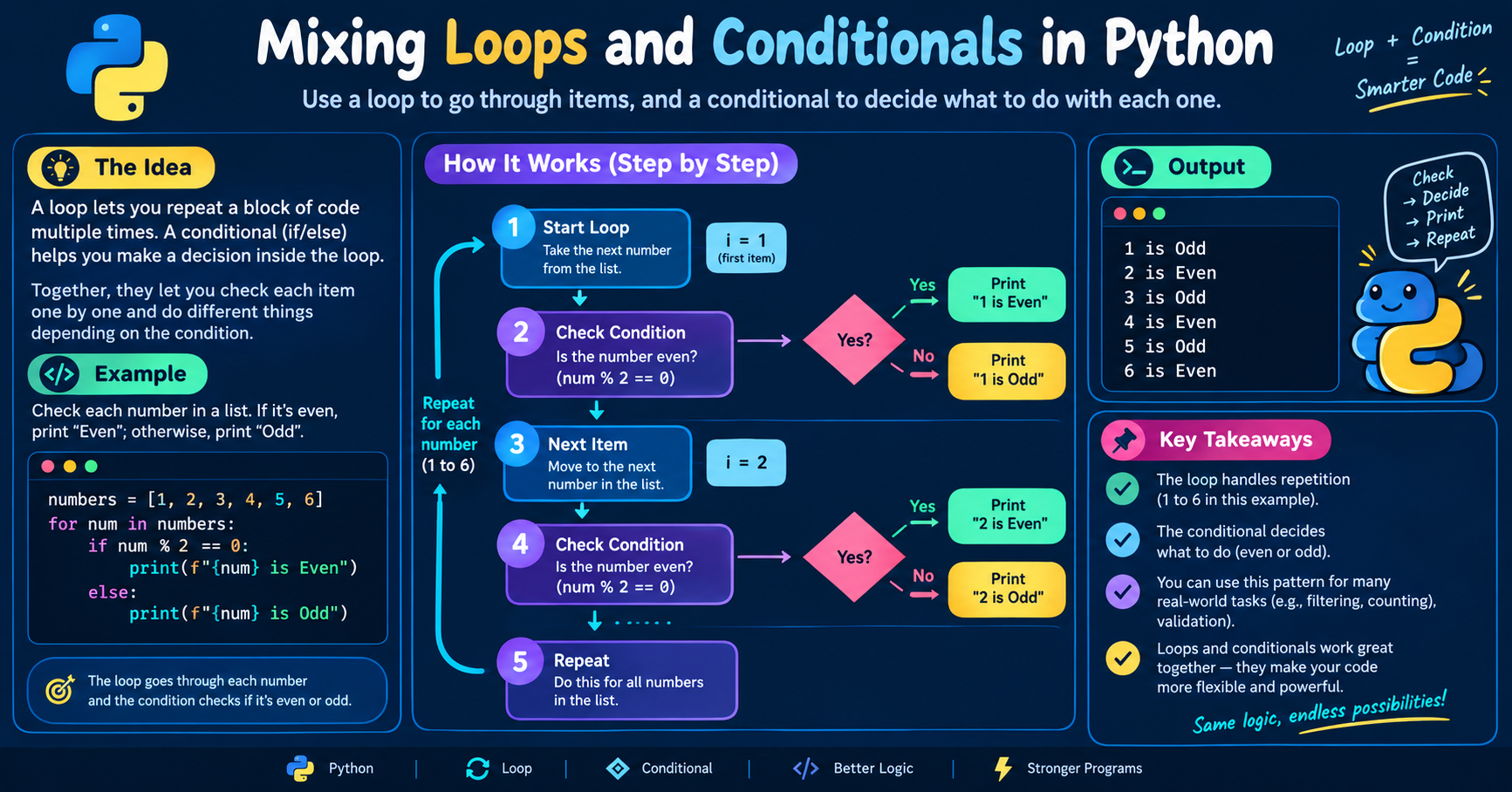
Real programs combine repetition and decisions. A loop repeats work, and a conditional decides what to do on each repetition. Mixing the two is how you filter, search, count, and validate data.
Step 1: A Conditional Inside a Loop
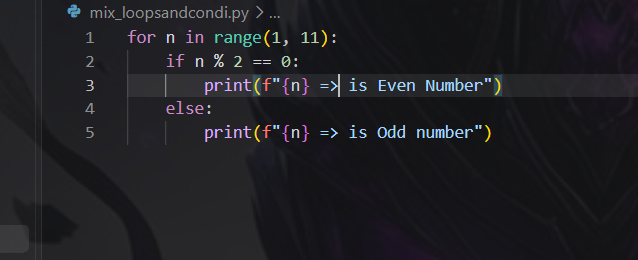
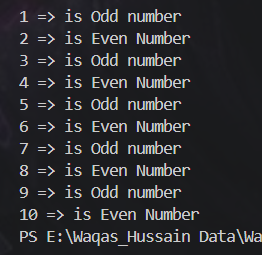
This is the most common pattern. The loop supplies each item, and the if decides what to do with it. The condition is re-evaluated on every iteration with the new value.
Step 2: A Loop Inside a Conditional
The condition is checked once, and the loop runs only if it passes.
First, we tell Python that the user is logged in.
Python remembers this using a value that means “Yes.”
Next, Python checks whether the user is logged in.
Since the answer is yes, Python continues.
It then starts a loop to repeat an action.
The loop begins with the number 1.
Python displays “Item 1” on the screen.
Then the loop moves to the number 2.
Python displays “Item 2” on the screen.
After displaying both items, the loop finishes.
Step 3: Counting With a Condition
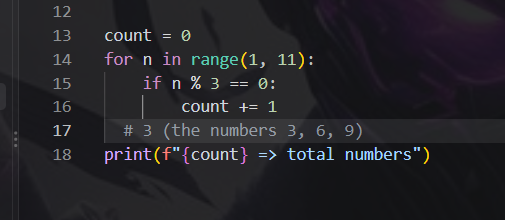
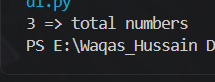
Combine a counter with an if to count only matching items:
Step 4: continue Skips an Iteration
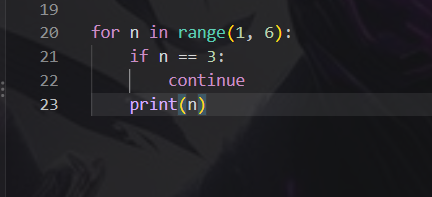
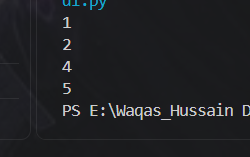
so what happens here, first we set a loop which is "for" loop obivously. we set loop from 1 to 5, where as the 6 is excluded, in line 21| there is a condition says skip the number 3 and continue running the loop.
so it runs and prints the numbers as 1 2 4 5 respectively.
Step 5: break Stops the Loop
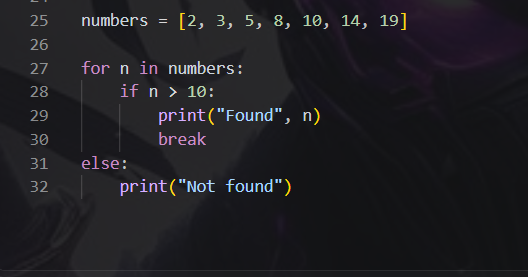
i will leave the output of this upto you learners.
Conclusion
Loops repeat work and conditionals decide what to do. Put an if inside a loop to filter or react to each item, put a loop inside an if to run repetition only when allowed, and use continue, break, and loop else to control the flow. Counters and flags must be created before the loop.